Quick answer: if the PDF is yours, open a free Unlock PDF tool, drop the file in, enter the password you have, and download the unlocked version. Unlocking a document you own is legitimate; trying to crack a file you’re not authorized to open isn’t â that line matters legally.
PDFs arrive locked for two very different reasons: someone protected a file before emailing it to you (and told you the password), or you set a password on your own document months ago and can’t remember it. The tools and the rules differ for each case, and this guide separates them clearly.
Two kinds of PDF passwords
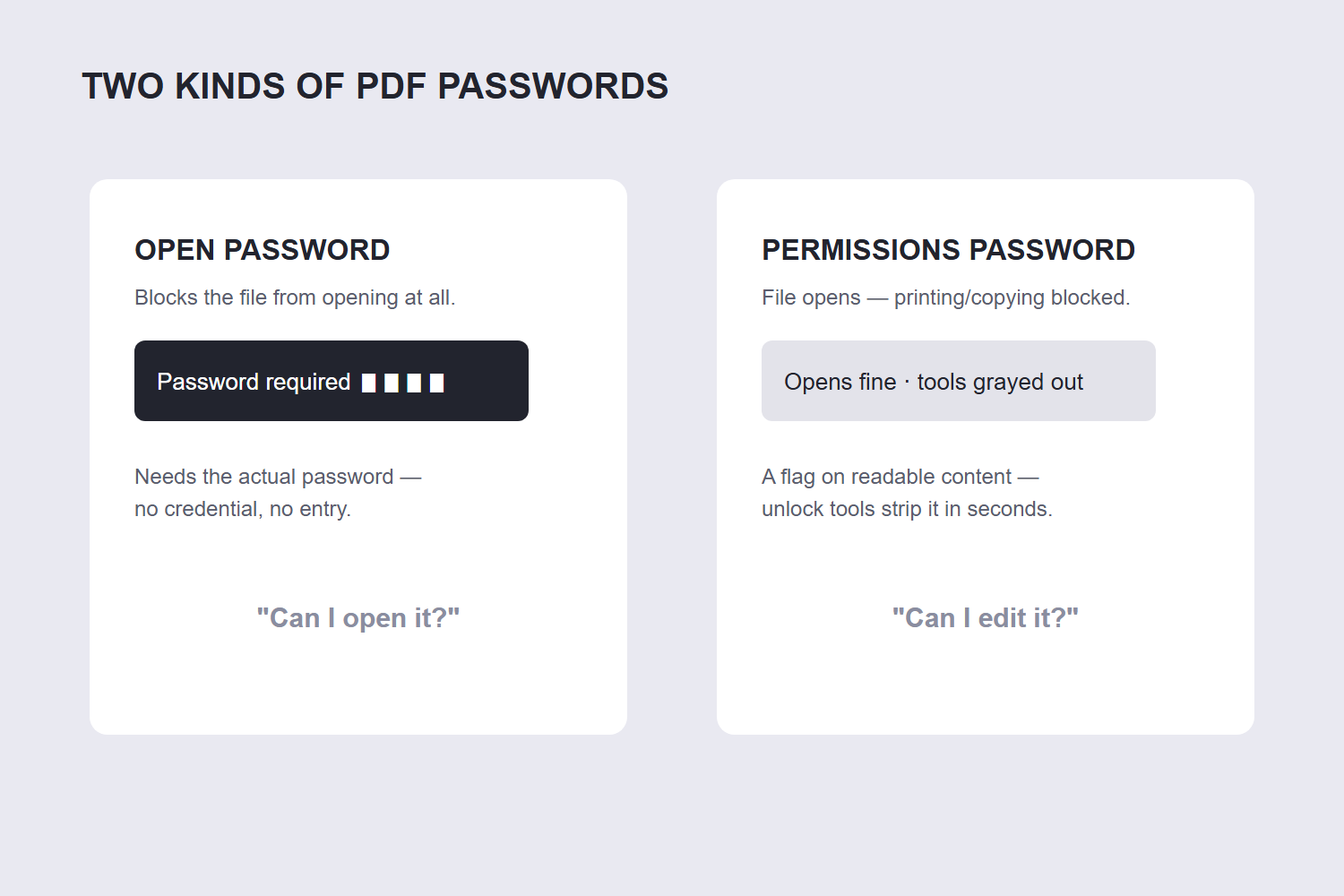
PDF encryption actually sets two separate locks, and knowing which one is blocking you decides everything:
| Lock | What it does | How it behaves |
|---|---|---|
| Open password (user) | Blocks the file from opening at all | You see a password prompt before anything renders |
| Owner password (permissions) | File opens fine but blocks printing, copying or editing | Opens normally; grayed-out tools and errors when you try |
An open password requires the password to proceed â there’s no legitimate way around it without the credential. An owner password is just a permissions flag: if you can open and read the document, an unlock tool can strip the restrictions in seconds, which is entirely reasonable for a document you legitimately possess.
How to unlock a PDF step by step
- Open the tool. Go to the free Unlock PDF tool and drop the file in â processed in your browser, so the unlocked document never leaves your device.
- Enter the password if prompted. For an open password, type the one you have (the one the sender gave you, or the one you set). The tool uses it to decrypt the file.
- Download the unlocked PDF. The new file has no password and no restrictions â open, print, copy and edit freely.
Alternative route for files you can already open: open the PDF in a desktop viewer that supports it, change the security settings to “No Security”, and re-save. The encryption behind those locks comes in three generations: RC4 with a 40-bit key (the original PDF 1.1 scheme, breakable in minutes today), RC4 or AES with a 128-bit key (PDF 1.6, still adequate), and AES-256 (PDF 2.0, the current standard). Knowing which one your file uses tells you how much the protection is actually worth. Same result, zero extra tools â but only works if your viewer can open the file, which browser-based unlock tools handle even when desktop software balks.
The legal line
Keep this simple and stay on the right side of it:
- Yours to unlock: documents you created, files sent to you with the password provided, anything you have the right to access. Removing the password or restrictions from these is normal document management.
- Not yours to unlock: files where you don’t know the open password and weren’t given it. Attempting to crack encryption on someone else’s document can violate copyright law and computer-misuse statutes â the correct move is contacting the owner for the password or an unlocked copy.
Unlock tools work only when you supply the correct open password â that’s by design, and it’s what keeps them legal to offer. The owner-password case is the gray area the tools handle: if you can read the document, you can lift its restrictions.
What if you don’t have the password at all?
If the file is genuinely yours (you set the password), your options are honest password recovery: try your usual password variations, check password managers and old emails for the file’s origin, or re-create the document from its source if you have it. Dedicated “recovery” services exist but treat this as a cracking problem â approach with caution and only for documents that are truly yours.
If the file isn’t yours, there’s no legitimate technical route, and that’s the point of the encryption. The permission flags are a short list: printing, changing the document, copying text and graphics, adding annotations, and filling form fields. An owner password toggles those five; it does not encrypt the page content at all. Ask the sender â this resolves 99% of cases, usually within an hour.
And once unlocked, if the document needs its pages fixed up â rotated scans, wrong order â the Rotate PDF and Reorder PDF tools handle both without re-locking anything.
FAQ
How do I remove a password from a PDF?
If you have the password: open the free Unlock PDF tool, drop the file in, enter the password, and download the unlocked version. The new file opens, prints and edits freely with no password prompts.
Is it legal to unlock a PDF?
Unlocking a document you own or are authorized to access is legal and normal. Attempting to open someone else’s protected file without authorization is not â the encryption exists to enforce access rights, and bypassing it can violate copyright and computer-misuse laws.
What’s the difference between an open password and a permissions password?
An open password blocks the file from opening at all. A permissions password lets the file open but restricts printing, copying or editing. The first requires the password to proceed; the second can be lifted from a document you can already read.
Can I unlock a PDF without the password?
Not the open password â and that’s by design. If the file is yours, recover the password from your records or re-create the document from its source. If it’s someone else’s file, request the password or an unlocked copy from them.
Does unlocking a PDF reduce quality?
No â decryption rebuilds the exact same document without the encryption layer. Text, images and formatting are identical to the locked original. File size may even shrink slightly without the encryption wrapper.
Can I unlock a PDF on my phone?
Yes â the browser-based Unlock PDF tool works on any device: open it in your mobile browser, add the locked file, enter the password, and save the unlocked PDF back to your phone.
